Pine3D: A Native 3D Graphical Rendering EnginePine3D is a full 3D rendering engine for TradingView, powered by Pine Script™ v6.
Pine3D pushes forward the frontier of TradingView 3D rendering capabilities, providing a fully fledged graphical engine under an intuitive, chainable, object oriented API. Build meshes, transform them in world space, light them, cast shadows, project them through a perspective camera, and render the result directly on your chart, all without ever bothering about trigonometry synchronization or optimization.
The library brings forth a streamlined process for anyone that wishes to visualize data in 3D, without needing to know anything about the complex math that has previously gatekept such indicators. Pine3D does all the heavy lifting, including extreme optimization techniques designed for production ready indicators.
The entire API is chainable and tag addressable, so spawning a mesh, registering it, pointing the camera at it, and rendering the frame is a four line affair:
Mesh mybox = cube(40.0, color.orange).setTag("hero").rotateBy(0.0, 45.0, 0.0)
scene.add(mybox)
scene.lookAt("hero")
render(scene)
🔷 SURFACES: CONTOUR BAND RENDERING
Pine Script imposes a hard ceiling of 100 polylines and 500 lines per indicator . On the surface this looks fatal for dense 3D meshes: every triangle drawn naively burns one of those 100 slots, or two of the 500, and the budget evaporates within a few hundred faces.
The conventional escape hatch is strip stitching , tracing a polyline forward along one row of a grid and back along the next, packing a ribbon of quads into a single drawing slot. It buys a meaningful multiplier, but it pays for that multiplier with two structural constraints baked into the geometry itself:
One color per strip. A polyline carries a single stroke and fill color, so every cell along the ribbon must share the same shade. The moment you want per cell lighting, contour banding, or value driven gradients, every color change forces a new polyline and the budget collapses.
One contiguous ribbon per slot. Strips can only describe topologically connected runs of cells. Disjoint regions, holes, islands, and value clustered fragments scattered across the surface each demand their own polyline.
Pine3D breaks both constraints at once.
At the core of the engine sits an innovation that redefines the limits for visual fidelity: contour band rendering using degenerate bridge stitching . The technique quantizes a surface's elevation into colored bands, then collapses every cell that falls inside the same band, no matter where it sits on the screen , into one continuous, hole aware polyline path per band, threading invisible zero width bridges between disjoint islands so that a single polyline can carry thousands of polygon equivalent fragments scattered across the geometry.
The result:
A single polyline can render up to 2,000 disconnected triangle equivalents , spread across arbitrarily separated regions of the surface.
Theoretical ceiling of around 200,000 disconnected faces inside the 100 polyline budget, a regime that strip based stitching cannot enter at any color count above one.
A 40 x 40 heightmap (around 3,000 triangles) renders inside the budget with full per band contour coloring and room to spare. Stress harnesses have run 40 x 80 grids .
Each band's path is depth sorted and near plane culled, and cached between bars , so once geometry is built only the screen space projection runs per frame.
This algorithm enables scenes with extreme detail relative to the 100 polyline limit, and shifts the optimization focus from "drawing limits" to "CPU limits", which Pine3D natively handles with aggressive caching at every layer of the pipeline. The contour technique is currently integrated into the surface() function, with the same compression strategy generalizable to any mesh class and ultimately full scene rendering in future versions.
Non-uniform grids out of the box. surface() accepts optional axisX and axisZ arrays that override the default uniform spacing with custom column and row positions. This means logarithmic strike spacing on an option volatility surface, irregular timestamp spacing on a market depth heatmap, or any other non-evenly-sampled grid renders correctly without resampling the data first. The contour band engine, axis ticks, and gridBox cage all snap to the custom positions automatically.
A full contour surface is just a handful of lines; the damped ripple below builds once and never needs updating:
//@version=6
indicator("Pine3D - Contour Surface", overlay = false, max_polylines_count = 100, max_lines_count = 500, max_labels_count = 500)
import Alien_Algorithms/Pine3D/1 as p3d
var p3d.Scene scene = p3d.newScene()
var p3d.Mesh heatmap = na
if barstate.isfirst
// Damped cosine ripple
int N = 20
matrix data = matrix.new(N, N, 0.0)
for r = 0 to N - 1
for c = 0 to N - 1
float dx = c - (N - 1) / 2.0
float dz = r - (N - 1) / 2.0
float d = math.sqrt(dx * dx + dz * dz) * 0.7
data.set(r, c, math.cos(d) * math.exp(-d * 0.12) * 50.0)
heatmap := p3d.surface(data, 200.0, color.blue, color.red, 24)
.gridBox()
.gridLabels(color.white, "X", "Amplitude", "Z")
scene.add(heatmap)
scene.camera.orbit(35.0, 25.0, 380.0)
if barstate.islast
p3d.render(scene, lighting = true)
🔷 TRAIL3D: STREAMED OSCILLATOR PATHS
Trail3D is a first class streaming primitive built for visualizing two correlated time series as a 3D ribbon evolving through time. You give it a rolling buffer capacity and push (u, v) samples bar by bar; the primitive maintains the buffer, builds the ribbon geometry, and renders it inside a normalized bounding cube so the path always fits cleanly in view regardless of the underlying data range.
Under the hood, Trail3D is a coordinated bundle of polylines: one for the main ribbon, two for optional shadow projections onto the back wall and floor, and one for the wireframe cage. All four are depth sorted and occlusion clipped against the rest of the scene, and the primitive auto normalizes incoming samples against the rolling window's min/max so streaming data always fills the cube without manual scaling.
This enables a class of visualizations that would otherwise require dozens of polylines and manual buffer management: phase space portraits, Lissajous figures, oscillator pair correlations, attractor trajectories, and any "two indicators evolving together over time" study. The demo above shows a sine and cosine pair pushing samples each bar to trace a clean spiral inside the cage, the same pattern you would use to plot RSI vs MFI, momentum vs volatility, or any custom (u, v) signal pair.
A full streamed scene is a handful of lines:
//@version=6
indicator("Pine3D - Trail3D", overlay = false, max_polylines_count = 100, max_lines_count = 500, max_labels_count = 500)
import Alien_Algorithms/Pine3D/1 as p3d
var p3d.Scene scene = p3d.newScene()
var p3d.Trail3D trail = na
if barstate.isfirst
trail := p3d.trail3D(220.0, 200, color.yellow)
.cage(true)
.axisLabels("sin", "cos", color.white)
trail._uProj.col := #00ffff69
trail._vProj.col := #ff00ff71
scene.add(trail)
scene.camera.orbit(215.0, 20.0, 360.0)
float phase = bar_index * 0.15
float sinX = math.sin(phase) * 100.0
float cosY = math.cos(phase) * 100.0
if barstate.isconfirmed
trail.pushSample(sinX, cosY)
p3d.render(scene)
🔷 BARS3D: CATEGORICAL 3D BAR CHARTS
bars3D() turns any series of values into a fully lit, depth sorted 3D bar chart in a single call. Each bar is height mapped to its value, color graded between a low and high color, and packed into one combined mesh with per bar depth grouping so individual bars sort correctly even inside the merged geometry. The companion updateBars() mutator refreshes heights, colors, and labels in place every bar without rebuilding geometry, making it suitable for live rankings, rolling windows, and animated comparisons.
The chainable barLabels(catNames, valNames) helper attaches category labels at the base of each bar and value labels at the top, both depth sorted with the rest of the scene. Category labels are set once at build time, while value labels can be passed to updateBars(values, valLabels = ...) each frame to reflect live data. Combined with wireGrid() for the floor and a contour surface() in the background, bars3D() becomes the centerpiece of dashboards comparing assets, sectors, timeframes, or any categorical metric.
Negative values are handled automatically: bars below zero extrude downward from the base plane with reversed face winding, so signed series like PnL, delta, or momentum histograms render correctly without any extra setup.
A complete labeled bar chart is just a few lines:
//@version=6
indicator("Pine3D - Bars3D", overlay = false, max_polylines_count = 100, max_lines_count = 500, max_labels_count = 500)
import Alien_Algorithms/Pine3D/1 as p3d
var p3d.Scene scene = p3d.newScene()
var p3d.Mesh bars = na
array values = array.from(volume - volume , volume - volume , volume - volume , volume - volume , volume - volume , volume - volume )
array names = array.from("ΔV0", "ΔV-1", "ΔV-2", "ΔV-3", "ΔV-4", "ΔV-5")
if barstate.isfirst
bars := p3d.bars3D(values, 30.0, 30.0, 10.0, color.blue, color.red, 200.0)
.barLabels(names)
scene.add(bars)
p3d.wireGrid(scene, 300.0, 300.0, 6, 6, color.new(color.gray, 80))
scene.camera.orbit(215.0, 25.0, 360.0)
if barstate.islast
bars.updateBars(values)
p3d.render(scene, lighting = true)
Omitting valLabels in updateBars() tells the engine to auto format each numeric value via str.tostring() . Pass valLabels only when you need custom strings.
🔷 SCATTER CLOUDS: POINTS IN 3D SPACE
Pine3D treats scatter clouds as a first class use case without needing a dedicated scatter API. Because Label3D is the primitive and scene.add(array) is a single batch operation, you can scatter up to 500 points anywhere in 3D space, each with independent color, symbol, size, and tooltip , and have them depth sorted and occlusion clipped against the rest of the scene automatically.
Each point is a fully addressable Label3D with mutable fields. You can change position , textColor , bgColor , labelStyle (any label.style_* glyph including circles, squares, diamonds, triangles, crosses, arrows, flags), labelSize (any size.* preset), and text per point per bar. The renderer reads these mutations every frame, so animation is just direct field assignment.
This unlocks a wide class of visualizations: clustered data scatter, K means visualizations, particle systems, parametric surfaces sampled as point clouds, gradient colored attractors, multi class classification overlays, and structured curves like the demo above. The double helix demo plots two intertwined parametric strands as ~500 points with alternating colors and per point sizing, all inside the standard scene.add(array) pipeline.
The pattern is straightforward: build the array once in barstate.isfirst , add it to the scene, then mutate point fields per bar to animate.
//@version=6
indicator("Pine3D - Scatter Cloud", overlay = false, max_polylines_count = 100, max_lines_count = 500, max_labels_count = 500)
import Alien_Algorithms/Pine3D/1 as p3d
var p3d.Scene scene = p3d.newScene()
var array points = array.new()
if barstate.isfirst
for i = 0 to 499
p3d.Vec3 pos = p3d.vec3(0.0, 0.0, 0.0)
points.push(p3d.Label3D.new(position = pos, txt = "•"))
scene.add(points)
scene.camera.orbit(35.0, 20.0, 400.0)
if barstate.islast
for i = 0 to points.size() - 1
float t = i * 0.05 + bar_index * 0.01
p3d.Label3D pt = points.get(i)
pt.position := p3d.vec3(80.0 * math.cos(t), i * 0.4 - 100.0, 80.0 * math.sin(t))
pt.textColor := i % 2 == 0 ? color.aqua : color.fuchsia
p3d.render(scene)
----------------------------------------------------------------------------------------------------------------
🔷 TWO LAYER ARCHITECTURE
Pine3D ships as a clean, two layer library:
🔸 Layer 1 - DIY API. First principle building blocks ( Vec3 , Mesh , Camera , Light , Scene , plus world space overlay primitives) for total creative control. Author your own geometry, camera behavior, lighting setup, and scene graph from scratch.
🔸 Layer 2 - High Level Helpers. Production ready wrappers like surface() , bars3D() , trail3D() , updateBars() , updateSurface() , sphere() , torus() , cylinder() , and wireGrid() , plus chainable contour helpers gridBox() and gridLabels() that wrap the primitives into a few lines of code. Scatter clouds use the standard Label3D primitive directly.
The object model is chainable and scene oriented, so complex setups still read cleanly.
🔷 FEATURE LIST
Contour Surface Rendering - The most powerful 3D surface engine ever released for Pine Script. Render tens of thousands of polygon equivalent faces using a single polyline per contour band, delivering smooth, continuous terrain with natural ridges and valleys.
Adaptive Rail Sharing - Solid meshes drawn with the default linefill backend reuse one edge line between adjacent coplanar faces, averaging roughly 1.6 lines per face instead of the naive two, pushing practical mesh capacity up to ~360 faces depending on topology.
Interior Face Culling on Merge - mergeMeshes(meshes, removeInterior = true) detects coincident faces with opposing normals and strips them, so voxel style scenes (stacked cubes, block walls, lattice geometry) ship only their exterior shell and spend no budget on hidden interior faces.
True Perspective Camera System - Full 3D camera with position, target, fov, and orbit() controls. Supports cinematic camera movement, lookAt by mesh tag, and realistic depth.
Real Time Lighting and Shadows - Directional and point lights with configurable ambient, shadow strength, self shadowing, and a spatial grid acceleration structure for fast shadow queries.
High Performance Update System - updateSurface() and updateBars() let you animate massive datasets bar by bar without rebuilding geometry, keeping CPU usage minimal.
Rich Primitive Library - Cubes, cuboids, spheres, cylinders, tori, pyramids, planes, discs, circles, custom meshes, and the groundbreaking bars3D() with automatic labels.
Streamed Trail Primitive - trail3D() maintains a rolling buffer of (u, v) samples and renders them as a 3D ribbon inside a bounding cube, with optional projections onto the back wall and floor and a wireframe cage.
Depth Sorted Overlays - 3D labels, lines, polylines, wire grids, and trails, all correctly occluded and painter sorted against the rest of the scene.
Professional Contour Helpers - gridBox() and gridLabels() automatically add clean bounding boxes and axis titles, ticks, and series names that refresh on every updateSurface() call.
Tag Based Scene Graph - Every Mesh , Label3D , Line3D , and Polyline3D can carry a string tag. Scene exposes getMesh() , getLabel() , getLine() , getPolyline() , lookAt() , and remove() by tag, turning your scene into a lookup by name graph instead of an index juggling exercise.
Chainable, Intuitive API - Everything is designed for maximum readability and speed of development. Build complex scenes in just a few lines.
Production Ready Optimizations - World vertex caching, view projection caching, face preprocessing cache, shadow grid cache, and contour geometry cache, all managed automatically.
----------------------------------------------------------------------------------------------------------------
🔷 THE RENDERER
Every frame is produced by a single call to render(scene, ...) . The renderer runs the full pipeline: world transform, camera transform, back face culling, occlusion culling, depth sort, directional or point lighting with shadows, and perspective projection.
⚠ render() clears the entire chart drawing pool at the start of every call - every polyline , line , label , and linefill on the chart is deleted before Pine3D redraws, not just the ones it created. If you mix Pine3D with manual label.new() , line.new() , or similar calls, those drawings must be emitted after render() or they will be wiped every frame.
🔸 Setup Requirements. Pine3D consumes polylines, lines, and labels simultaneously, so your indicator() declaration must raise all three budgets, and the library must be imported under an alias:
indicator("My 3D Scene", overlay = false,
max_polylines_count = 100,
max_lines_count = 500,
max_labels_count = 500)
import Alien_Algorithms/Pine3D/1 as p3d
🔸 render() parameters.
maxFaces (int, default 100). Hard cap on solid faces drawn per frame. Contour bands, wireframe edges, labels, lines, and overlay polylines are not counted against this cap, and are bounded only by TradingView's global 100 polyline / 500 line / 500 label budgets.
culling (bool, default true). Enable back face culling.
lighting (bool, default false). Enable diffuse shading. Reads scene.light if set; otherwise falls back to the render() args.
lightDir (Vec3). Overrides scene.light.direction when provided. Points toward the light.
ambient (float, default 0.3). Minimum brightness for shadowed faces (0.0-1.0).
wireframe (bool, default false). Force outline only output for the entire scene.
occlusion (bool, default true). Sparse raster pass that drops hidden faces before drawing. Major perf win on dense scenes.
occlusionRaster (int, default 768). Raster resolution of the occlusion buffer. Lower = faster but coarser; higher = stricter hidden face rejection.
Explicit render() args always win over scene.light , which makes render() the right place for ad hoc, per frame lighting tweaks.
----------------------------------------------------------------------------------------------------------------
🔷 MESH DRAWING MODES
Two independent axes control how a mesh appears on the chart:
🔸 Style (via mesh.setStyle(...) ) - what gets drawn:
"solid" . Filled faces. Default.
"wireframe" . All edges, no fill. Shows interior geometry.
"wireframe_front" . Only front facing edges. Cleaner silhouette for convex meshes.
🔸 Draw Mode (via mesh.drawMode ) - which TradingView primitive carries the solid faces:
"linefill" (default). Uses the line and linefill budgets. An adaptive rail sharing optimization reuses one edge line between adjacent coplanar faces, pushing practical capacity up to ~360 faces per mesh depending on topology. Supports in place updates via updateSurface() and updateBars() . Rails are drawn transparent, so solid faces in this mode have no visible outline - use a wireframe style or "poly" drawMode if you need stroked edges. Recommended for all new code.
"poly" . Legacy polyline backend. Capacity ~100 faces, no in place updates, but renders the face outline using mesh.lineStyle and mesh.lineWidth . Use only when you need styled solid face outlines.
Wireframe styles always render with line primitives regardless of drawMode. Stroke width and style on edges (and on poly mode face outlines) come from mesh.lineWidth and mesh.lineStyle , which you mutate by direct field assignment.
----------------------------------------------------------------------------------------------------------------
🔷 QUICK START
The best practice lifecycle is simple:
Create one persistent Scene with newScene() .
Build meshes and helper overlays once in barstate.isfirst .
On later bars, mutate objects in place with transforms or helper mutators like updateBars() and updateSurface() .
Call render(scene, ...) once per frame. It automatically clears the previous chart drawings.
A complete, lit, animated 3D scene is still a handful of lines:
//@version=6
indicator("My First 3D Scene", overlay = false, max_polylines_count = 100, max_lines_count = 500, max_labels_count = 500)
import Alien_Algorithms/Pine3D/1 as p3d
var p3d.Scene scene = p3d.newScene()
var p3d.Mesh sun = na
if barstate.isfirst
scene.setLightDir(1.0, -1.0, 0.5).setAmbient(0.3)
sun := p3d.sphere(50.0, 16, 12, color.orange).setTag("sun")
scene.add(sun)
p3d.wireGrid(scene, 300.0, 300.0, 6, 6, color.new(color.gray, 80))
scene.camera.orbit(35.0, 25.0, 220.0)
if barstate.islast
sun.rotateBy(0.0, 1.5, 0.0)
p3d.render(scene, lighting = true)
----------------------------------------------------------------------------------------------------------------
🔷 RECOMMENDED USAGE PATTERN
Use your Scene and major meshes in var .
Build geometry once in barstate.isfirst .
Use updateSurface() and updateBars() on later bars instead of rebuilding meshes.
Use scene level helpers like wireGrid() when you want overlays added immediately.
Use trail3D() when you want a streamed oscillator style path with built in wall projections and cage geometry.
For scatter clouds, build an array once, hand it to scene.add(pts) , then mutate pt.position , pt.textColor , etc. each bar to animate.
Use mesh level gridBox() and gridLabels() (contour) and barLabels() (bars) to attach overlays to the mesh setup chain. They are drained into the scene by scene.add(mesh) .
🔷 CONSIDERATIONS
scene.clear() vs render(). scene.clear() removes objects from the scene graph (meshes, labels, lines, polylines). render() only clears the previous frame's TradingView drawings and redraws from the current scene graph. You almost never need scene.clear() in the build once and update pattern.
Global scope series for updateSurface() / updateBars(). If your data uses Pine's history operator ( ) or calls functions like ta.rsi() , ta.atr() , request.security() , those must be declared at global scope so Pine tracks their bar by bar history. Calling them inside barstate.islast produces inconsistent results or compiler errors.
gridLabels() tick values auto refresh. When you call updateSurface() , any tick value labels created by gridLabels() are automatically updated to reflect the new data range. Axis titles and positions stay constant. You don't need to rebuild them.
barLabels() value labels via updateBars(). Create category labels once with mesh.barLabels(catNames) at build time, then pass valLabels to updateBars() on each frame. Value labels are refreshed automatically. Don't call barLabels() again.
Lighting convenience methods are chainable. scene.setLightDir() , setLightPos() , setLightMode() , setAmbient() , setShadowStrength() , and showLightSource() all return Scene and can be chained: scene.setLightMode("point").setLightPos(0, 200, 150).setAmbient(0.25) .
Mesh transforms return Mesh. moveTo() , moveBy() , rotateTo() , rotateBy() , scaleTo() , scaleUniform() , setTag() , setStyle() , setColor() , show() , hide() all return Mesh for chaining: mesh.moveTo(0, -20, 0).rotateTo(0, 45, 0).setStyle("solid") .
Degrees vs radians. rotateTo() and rotateBy() on Mesh expect degrees. The low level Vec3.rotateX/Y/Z() methods expect radians.
scene.lookAt() is tag only. scene.lookAt(t) accepts a string tag and points the camera at that mesh. To aim the camera at an arbitrary Vec3 , call scene.camera.lookAt(vec) directly.
remove(tag) removes one object. The search order is meshes, then labels, then lines, then polylines, and the first hit wins. Avoid reusing tags across primitive types if you intend to delete by tag.
Shadow grid acceleration is directional light only. The spatial shadow grid is only built when lightMode == "directional" . Point lights fall back to a linear O(M) scan, so heavy shadow scenes are fastest in directional mode.
guiShift and yOffset. scene.guiShift and scene.yOffset position the 3D viewport on the chart without consuming historical bar slots. Increase guiShift to push the scene rightward into future bar space; adjust yOffset to slide it vertically in price units.
bar_time projection. All chart drawings are emitted with xloc.bar_time , so the scene can sit arbitrarily far left or right of bar_index without forcing Pine to extend its history buffer. This is what keeps the engine stable on long charts and future projected scenes.
barLabels() without values. When you call mesh.barLabels(catNames) and omit value labels, every later updateBars(values) auto formats the numeric values via str.tostring() . Pass valLabels only when you need custom strings.
Direct mesh.vertices mutation requires invalidateCache(). Transform mutators ( moveTo , rotateBy , scaleTo , etc.) invalidate the world vertex cache on their own. Only raw index writes like mesh.vertices.set(i, newVec) need a manual mesh.invalidateCache() call to force re-projection. Skipping it will make the renderer draw stale geometry.
Drawing budgets fail silently. If a scene emits more than 100 polylines, 500 lines, or 500 labels in a single frame, TradingView silently drops the overflow without raising a runtime error. Missing geometry almost always means a budget overrun - lower maxFaces , drop a contour level, or simplify overlay primitives to bring the frame back inside the caps.
render() deletes non Pine3D drawings too. Every render() call clears polyline.all , line.all , label.all , and linefill.all before redrawing. Any manual label.new() , line.new() , etc. issued before render() in the same frame will be wiped. Issue custom drawings after the render call if you need them to persist.
mergeMeshes() preserves depth grouping. When every source mesh passed into mergeMeshes() has the same vertex and face count (e.g. identical primitives in a voxel grid), the merged mesh auto derives depth group boundaries so the combined geometry still sorts correctly per original instance. Mixing primitives with different topologies disables the grouping.
CPU timeouts: knobs to turn. Pine Script enforces a per bar execution budget, and dense scenes can trip it before the drawing budget ever does. If a scene compiles but times out at runtime, reach for these levers in order: lower occlusionRaster (e.g. 768 -> 384) for the biggest single perf win, reduce maxFaces to cap the solid face pool, drop levels on contour surfaces, simplify sphere/torus segment counts, and gate heavy work behind barstate.islast so history bars only build geometry rather than render it.
----------------------------------------------------------------------------------------------------------------
🔷 MORE EXAMPLES
The following scenes were all built entirely in Pine Script™ v6 using Pine3D as the rendering layer. They exist to demonstrate that the library is a real engine capable of complex, production grade visualizations.
🔸 4D Hypercube (Tesseract). A rotating tesseract, projected from 4D to 3D to 2D in real time using a custom 4D rotation matrix layered on top of Pine3D's standard projection pipeline.
🔸 Solar System. Following the publication of my 3D Solar System back in 2024, which introduced new graphical rendering concepts into Pine Script, we have seen a wave of various interpretations of the underlying vector classes, ranging from tutorials to niche specific integrations using hardcoded math. It became clear that a unified architecture was needed, one that would lower the barrier to entry while simultaneously handling the optimization process, which is both complex and error prone to do manually.
That architecture is what Pine3D delivers. Below is a re-creation of the classic 3D Solar System rebuilt entirely on top of the library. It uses a fraction of the original code , renders roughly 5x faster , and adds real lighting cast directly from the Sun , all while consuming only a third of the available drawing budget thanks to the occlusion and culling mechanisms Pine3D handles out of the box.
----------------------------------------------------------------------------------------------------------------
🔷 API REFERENCE
🔸 Top Level Entry Points. newScene() creates a ready to use Scene with a default camera and light. render(scene, ...) draws the current frame and auto clears the previous frame's chart drawings; see the Renderer section above for the full parameter list. vec3(x, y, z) creates a Vec3. colorBrightness() is an exported color utility helper.
🔸 Mesh Factories.
Primitives - cube() , cuboid() , pyramid() , plane() , sphere() , cylinder() , torus() , grid() , disc() , circle() for ready made geometry.
customMesh(verts, faces) - Low level escape hatch for authoring your own topology.
mergeMeshes(meshes, tag, removeInterior) - Bakes transforms and combines many meshes into one. With removeInterior = true , coincident faces with opposing normals (e.g. shared walls between adjacent cubes in a grid) are culled so only the exterior shell survives, a major optimization for dense voxel style scenes.
surface(heights, size, lowCol, highCol, levels, axisX, axisZ) - Creates a contour surface mesh.
bars3D(values, barWidth, barDepth, spacing, lowCol, highCol, maxHeight) - Creates a combined 3D bar chart mesh; add labels with the chainable barLabels(names, values) method.
🔸 UDT Constructors. Overlay primitives and face descriptors are plain UDTs. Because these types have many fields, always instantiate them with named arguments rather than positional, e.g. Label3D.new(position = pos, txt = "•") :
Face - fields: vi (array of vertex indices into the parent mesh), col . Used when authoring customMesh() topology; every face must have at least 3 indices and should be planar.
Label3D - fields: position , txt , textColor , bgColor , labelStyle , labelSize , fontFamily , tooltip , visible , tag . Only position is required.
Line3D - fields: start , end , col , width , visible , tag , lineStyle .
Polyline3D - fields: points , col , fillColor , width , closed , visible , tag , lineStyle .
Vec3.new(x, y, z) or the vec3(x, y, z) shorthand.
🔸 Trail Primitive. trail3D(size, capacity, trailCol, minSamples) creates a streamed Trail3D primitive with a main trail, two projection polylines, and a cage polyline. capacity is internally clamped to 300 samples to keep the rolling buffer inside Pine's execution budget; passing a larger value silently resolves to 300. minSamples (default 60) is the sample count at which the cage reaches its full cube width: below that the cage stays cube shaped and samples stretch across it; above that the cage grows rightward at a fixed step until capacity is hit. scene.add(trail) registers the sub primitives into the scene. Trail3D methods: pushSample() , axisLabels() , cage() , moveTo() , show() , hide() .
🔸 Mesh Methods.
Transform - moveTo() , moveBy() , rotateTo() , rotateBy() , scaleTo() , scaleUniform() .
Appearance - setColor() , setFaceColor() , setStyle() , show() , hide() , setTag() .
Stroke styling (direct) - mesh.lineWidth := 3 and mesh.lineStyle := line.style_dashed control width and style of every visible mesh edge in wireframe modes and the outline of solid faces in drawMode = "poly" .
Shadow opt out (direct) - mesh.castShadow := false excludes the mesh from shadow casting while still receiving light. Useful for ghost overlays, debug geometry, or semi transparent meshes you do not want occluding the scene.
Lifecycle - clone() , faceCount() , invalidateCache() .
Data mutation - updateSurface() and updateBars() refresh persistent meshes in place. updateBars() refreshes any bar label positions automatically; pass catLabels / valLabels to also update the text.
Contour helpers - gridBox() and gridLabels() queue overlays on the mesh and hand them to the scene when you call scene.add(mesh) .
Bar helpers - barLabels() is chainable on a bars3D() mesh and queues its category and value labels for the next scene.add(mesh) .
Note: rotateTo() and rotateBy() expect degrees. The low level Vec3.rotateX/Y/Z() methods work in radians.
🔸 Scene Methods.
Lighting - setLightDir() , setLightPos() , setLightMode() , setAmbient() , setShadowStrength() , showLightSource() .
Scene graph - add(mesh) , add(label) , add(array) , add(line) , add(polyline) , add(trail) , remove(index) , remove(tag) , clear() .
Lookup and navigation - getMesh() , getLabel() , getLine() , getPolyline() , lookAt() , totalFaces() .
Cache control - invalidateLightCache() after mutating light direction or scene bounds externally; invalidateAllCaches() to also invalidate every mesh's world vertex cache (use after directly mutating mesh.vertices ).
Note: scene.clear() clears the scene graph itself. render() only clears the previous frame's TradingView drawings.
🔸 Camera Methods. setPosition(x, y, z) moves the camera. lookAt(x, y, z) / lookAt(vec3) points at a world space target. orbit(angleX, angleY, distance) does a spherical orbit around the current target. setFov(val) sets the perspective scale factor. Camera fields ( position , target , fov ) are also directly mutable via assignment when you need to tune them outside the provided setters, e.g. scene.camera.fov := 1200.0 .
🔸 Light Field Mutation. In addition to the scene level convenience setters, every field on scene.light is directly mutable for fine grained tuning: scene.light.selfShadow := true enables self shadowing, scene.light.shadowBias := 0.2 adjusts the shadow acne offset, scene.light.shadowStrength and scene.light.ambient are also exposed. Mutate them after newScene() or between frames; the renderer reads them every call.
🔸 Vec3 Methods. Core math: add() , sub() , scale() , negate() , dot() , cross() , length() , normalize() , distanceTo() , lerp() . Rotation and helpers: rotateX() , rotateY() , rotateZ() , copy() , toString() .
🔸 Overlay Primitive Methods.
Label3D - moveTo() , moveBy() , setText() , setTextColor() , setTooltip() , show() , hide() , setTag() .
Line3D - setStart() , setEnd() , setPoints() , setColor() , show() , hide() , setTag() .
Polyline3D - setColor() , show() , hide() , setTag() .
Every UDT field is mutable via direct assignment for properties without a chainable setter:
Label3D - bgColor , labelStyle (label.style_*), labelSize (size.*), fontFamily (font.family_*), visible .
Line3D - width , lineStyle (line.style_solid / _dashed / _dotted / _arrow_left / _arrow_right / _arrow_both), visible .
Polyline3D - width , lineStyle (line.style_solid / _dashed / _dotted only; arrow styles are not supported by TradingView's polyline primitive), fillColor , closed , visible .
Mutations are read per frame by the renderer, so they animate freely.
🔸 High Level Scene Helpers. wireGrid(scene, w, d, divX, divZ, col) adds a depth sorted ground grid. scene.add(array) adds a batch of labels in one call - the idiomatic way to push a scatter cloud into the scene.
🔸 Mesh Level Chainable Overlays. mesh.barLabels(names, values, ...) adds category and value labels on a bars3D() mesh. mesh.gridBox(col, divs) adds a wireframe bounding box cage on a surface() mesh. mesh.gridLabels(col, xName, yName, zName, ticks, fmt) adds axis titles and tick value labels on a surface() mesh; tick values auto refresh on updateSurface() . All three are queued on the mesh and drained into the scene by scene.add(mesh) .
----------------------------------------------------------------------------------------------------------------
This work is licensed under (CC BY-NC-SA 4.0) , meaning usage is free for non-commercial purposes given that Alien_Algorithms is credited in the description for the underlying software. For commercial use licensing, contact Alien_Algorithms
Graphics
UNITED TRADING COMMUNITY WaterMarkWATER MARK indicator. Will allow you to improve the order of the entries you need on the chart.
1. Name and date for the traded instrument
2. Watermarks to protect your charts (in the center and around the perimeter of the chart)
3. The new "notes" option will allow you to keep focus on the factors that are important to you on the chart.
Very flexible settings for any notes, labels, watermarks on the chart that are important to you.
Индикатор WATER MARK . Даст возможность вам улучшить порядок нужных вам записей на графике.
1. Название и дата для торгуемого инструмента
2. Водные знаки для защиты ваших графиков ( в центре и по периметру графика)
3. Новая опция "заметки" позволит вам держать фокус на важных для вас факторах на графике.
Очень гибкая настройка , любых значимых для вас заметок , лейблов , вотермарк на графике.
Pine Script® indicator
Geo. Geo.
This library provides a comprehensive set of geometric functions based on 2 simple types for point and line manipulation, point array calculations, some vector operations (Borrowed from @ricardosantos ), angle calculations, and basic polygon analysis. It offers tools for creating, transforming, and analyzing geometric shapes and their relationships.
View the source code for detailed documentation on each function and type.
═════════════════════════════════════════════════════════════════════════
█ OVERVIEW
This library enhances TradingView's Pine Script with robust geometric capabilities. It introduces the Point and Line types, along with a suite of functions for various geometric operations. These functionalities empower you to perform advanced calculations, manipulations, and analyses involving points, lines, vectors, angles, and polygons directly within your Pine scripts. The example is at the bottom of the script. ( Commented out )
█ CONCEPTS
This library revolves around two fundamental types:
• Point: Represents a point in 2D space with x and y coordinates, along with optional 'a' (angle) and 'v' (value) fields for versatile use. Crucially, for plotting, utilize the `.to_chart_point()` method to convert Points into plottable chart.point objects.
• Line: Defined by a starting Point and a slope , enabling calculations like getting y for a given x, or finding intersection points.
█ FEATURES
• Point Manipulation: Perform operations like addition, subtraction, scaling, rotation, normalization, calculating distances, dot products, cross products, midpoints, and more with Point objects.
• Line Operations: Create lines, determine their slope, calculate y from x (and vice versa), and find the intersection points of two lines.
• Vector Operations: Perform vector addition, subtraction, multiplication, division, negation, perpendicular vector calculation, floor, fractional part, sine, absolute value, modulus, sign, round, scaling, rescaling, rotation, and ceiling operations.
• Angle Calculations: Compute angles between points in degrees or radians, including signed, unsigned, and 360-degree angles.
• Polygon Analysis: Calculate the area, perimeter, and centroid of polygons. Check if a point is inside a given polygon and determine the convex hull perimeter.
• Chart Plotting: Conveniently convert Point objects to chart.point objects for plotting lines and points on the chart. The library also includes functions for plotting lines between individual and series of points.
• Utility Functions: Includes helper functions such as square root, square, cosine, sine, tangent, arc cosine, arc sine, arc tangent, atan2, absolute distance, golden ratio tolerance check, fractional part, and safe index/check for chart plotting boundaries.
█ HOW TO USE
1 — Include the library in your script using:
import kaigouthro/geo/1
2 — Create Point and Line objects:
p1 = geo.Point(bar_index, close)
p2 = geo.Point(bar_index , open)
myLine = geo.Line(p1, geo.slope(p1, p2))
// maybe use that line to detect a crossing for an alert ... hmmm
3 — Utilize the provided functions:
distance = geo.distance(p1, p2)
intersection = geo.intersection(line1, line2)
4 — For plotting labels, lines, convert Point to chart.point :
label.new(p1.to_chart_point(), " Hi ")
line.new(p1.to_chart_point(),p2.to_chart_point())
█ NOTES
This description provides a concise overview. Consult the library's source code for in-depth documentation, including detailed descriptions, parameter types, and return values for each function and method. The source code is structured with comprehensive comments using the `//@` format for seamless integration with TradingView's auto-documentation features.
█ Possibilities..
Library "geo"
This library provides a comprehensive set of geometric functions and types, including point and line manipulation, vector operations, angle calculations, and polygon analysis. It offers tools for creating, transforming, and analyzing geometric shapes and their relationships.
sqrt(value)
Square root function
Parameters:
value (float) : (float) - The number to take the square root of
Returns: (float) - The square root of the input value
sqr(x)
Square function
Parameters:
x (float) : (float) - The number to square
Returns: (float) - The square of the input value
cos(v)
Cosine function
Parameters:
v (float) : (series float) - The value to find the cosine of
Returns: (series float) - The cosine of the input value
sin(v)
Sine function
Parameters:
v (float) : (series float) - The value to find the sine of
Returns: (series float) - The sine of the input value
tan(v)
Tangent function
Parameters:
v (float) : (series float) - The value to find the tangent of
Returns: (series float) - The tangent of the input value
acos(v)
Arc cosine function
Parameters:
v (float) : (series float) - The value to find the arc cosine of
Returns: (series float) - The arc cosine of the input value
asin(v)
Arc sine function
Parameters:
v (float) : (series float) - The value to find the arc sine of
Returns: (series float) - The arc sine of the input value
atan(v)
Arc tangent function
Parameters:
v (float) : (series float) - The value to find the arc tangent of
Returns: (series float) - The arc tangent of the input value
atan2(dy, dx)
atan2 function
Parameters:
dy (float) : (float) - The y-coordinate
dx (float) : (float) - The x-coordinate
Returns: (float) - The angle in radians
gap(_value1, __value2)
Absolute distance between any two float values
Parameters:
_value1 (float) : First value
__value2 (float)
Returns: Absolute Positive Distance
phi_tol(a, b, tolerance)
Check if the ratio is within the tolerance of the golden ratio
Parameters:
a (float) : (float) The first number
b (float) : (float) The second number
tolerance (float) : (float) The tolerance percennt as 1 = 1 percent
Returns: (bool) True if the ratio is within the tolerance, false otherwise
frac(x)
frad Fractional
Parameters:
x (float) : (float) - The number to convert to fractional
Returns: (float) - The number converted to fractional
safeindex(x, limit)
limiting int to hold the value within the chart range
Parameters:
x (float) : (float) - The number to limit
limit (int)
Returns: (int) - The number limited to the chart range
safecheck(x, limit)
limiting int check if within the chartplottable range
Parameters:
x (float) : (float) - The number to limit
limit (int)
Returns: (int) - The number limited to the chart range
interpolate(a, b, t)
interpolate between two values
Parameters:
a (float) : (float) - The first value
b (float) : (float) - The second value
t (float) : (float) - The interpolation factor (0 to 1)
Returns: (float) - The interpolated value
gcd(_numerator, _denominator)
Greatest common divisor of two integers
Parameters:
_numerator (int)
_denominator (int)
Returns: (int) The greatest common divisor
method set_x(self, value)
Set the x value of the point, and pass point for chaining
Namespace types: Point
Parameters:
self (Point) : (Point) The point to modify
value (float) : (float) The new x-coordinate
method set_y(self, value)
Set the y value of the point, and pass point for chaining
Namespace types: Point
Parameters:
self (Point) : (Point) The point to modify
value (float) : (float) The new y-coordinate
method get_x(self)
Get the x value of the point
Namespace types: Point
Parameters:
self (Point) : (Point) The point to get the x-coordinate from
Returns: (float) The x-coordinate
method get_y(self)
Get the y value of the point
Namespace types: Point
Parameters:
self (Point) : (Point) The point to get the y-coordinate from
Returns: (float) The y-coordinate
method vmin(self)
Lowest element of the point
Namespace types: Point
Parameters:
self (Point) : (Point) The point
Returns: (float) The lowest value between x and y
method vmax(self)
Highest element of the point
Namespace types: Point
Parameters:
self (Point) : (Point) The point
Returns: (float) The highest value between x and y
method add(p1, p2)
Addition
Namespace types: Point
Parameters:
p1 (Point) : (Point) - The first point
p2 (Point) : (Point) - The second point
Returns: (Point) - the add of the two points
method sub(p1, p2)
Subtraction
Namespace types: Point
Parameters:
p1 (Point) : (Point) - The first point
p2 (Point) : (Point) - The second point
Returns: (Point) - the sub of the two points
method mul(p, scalar)
Multiplication by scalar
Namespace types: Point
Parameters:
p (Point) : (Point) - The point
scalar (float) : (float) - The scalar to multiply by
Returns: (Point) - the multiplied point of the point and the scalar
method div(p, scalar)
Division by scalar
Namespace types: Point
Parameters:
p (Point) : (Point) - The point
scalar (float) : (float) - The scalar to divide by
Returns: (Point) - the divided point of the point and the scalar
method rotate(p, angle)
Rotate a point around the origin by an angle (in degrees)
Namespace types: Point
Parameters:
p (Point) : (Point) - The point to rotate
angle (float) : (float) - The angle to rotate by in degrees
Returns: (Point) - the rotated point
method length(p)
Length of the vector from origin to the point
Namespace types: Point
Parameters:
p (Point) : (Point) - The point
Returns: (float) - the length of the point
method length_squared(p)
Length squared of the vector
Namespace types: Point
Parameters:
p (Point) : (Point) The point
Returns: (float) The squared length of the point
method normalize(p)
Normalize the point to a unit vector
Namespace types: Point
Parameters:
p (Point) : (Point) - The point to normalize
Returns: (Point) - the normalized point
method dot(p1, p2)
Dot product
Namespace types: Point
Parameters:
p1 (Point) : (Point) - The first point
p2 (Point) : (Point) - The second point
Returns: (float) - the dot of the two points
method cross(p1, p2)
Cross product result (in 2D, this is a scalar)
Namespace types: Point
Parameters:
p1 (Point) : (Point) - The first point
p2 (Point) : (Point) - The second point
Returns: (float) - the cross of the two points
method distance(p1, p2)
Distance between two points
Namespace types: Point
Parameters:
p1 (Point) : (Point) - The first point
p2 (Point) : (Point) - The second point
Returns: (float) - the distance of the two points
method Point(x, y, a, v)
Point Create Convenience
Namespace types: series float, simple float, input float, const float
Parameters:
x (float)
y (float)
a (float)
v (float)
Returns: (Point) new point
method angle(p1, p2)
Angle between two points in degrees
Namespace types: Point
Parameters:
p1 (Point) : (Point) - The first point
p2 (Point) : (Point) - The second point
Returns: (float) - the angle of the first point and the second point
method angle_between(p, pivot, other)
Angle between two points in degrees from a pivot point
Namespace types: Point
Parameters:
p (Point) : (Point) - The point to calculate the angle from
pivot (Point) : (Point) - The pivot point
other (Point) : (Point) - The other point
Returns: (float) - the angle between the two points
method translate(p, from_origin, to_origin)
Translate a point from one origin to another
Namespace types: Point
Parameters:
p (Point) : (Point) - The point to translate
from_origin (Point) : (Point) - The origin to translate from
to_origin (Point) : (Point) - The origin to translate to
Returns: (Point) - the translated point
method midpoint(p1, p2)
Midpoint of two points
Namespace types: Point
Parameters:
p1 (Point) : (Point) - The first point
p2 (Point) : (Point) - The second point
Returns: (Point) - The midpoint of the two points
method rotate_around(p, angle, pivot)
Rotate a point around a pivot point by an angle (in degrees)
Namespace types: Point
Parameters:
p (Point) : (Point) - The point to rotate
angle (float) : (float) - The angle to rotate by in degrees
pivot (Point) : (Point) - The pivot point to rotate around
Returns: (Point) - the rotated point
method multiply(_a, _b)
Multiply vector _a with _b
Namespace types: Point
Parameters:
_a (Point) : (Point) The first point
_b (Point) : (Point) The second point
Returns: (Point) The result of the multiplication
method divide(_a, _b)
Divide vector _a by _b
Namespace types: Point
Parameters:
_a (Point) : (Point) The first point
_b (Point) : (Point) The second point
Returns: (Point) The result of the division
method negate(_a)
Negative of vector _a
Namespace types: Point
Parameters:
_a (Point) : (Point) The point to negate
Returns: (Point) The negated point
method perp(_a)
Perpendicular Vector of _a
Namespace types: Point
Parameters:
_a (Point) : (Point) The point
Returns: (Point) The perpendicular point
method vfloor(_a)
Compute the floor of argument vector _a
Namespace types: Point
Parameters:
_a (Point) : (Point) The point
Returns: (Point) The floor of the point
method fractional(_a)
Compute the fractional part of the elements from vector _a
Namespace types: Point
Parameters:
_a (Point) : (Point) The point
Returns: (Point) The fractional part of the point
method vsin(_a)
Compute the sine of argument vector _a
Namespace types: Point
Parameters:
_a (Point) : (Point) The point
Returns: (Point) The sine of the point
lcm(a, b)
Least common multiple of two integers
Parameters:
a (int) : (int) The first integer
b (int) : (int) The second integer
Returns: (int) The least common multiple
method vabs(_a)
Compute the absolute of argument vector _a
Namespace types: Point
Parameters:
_a (Point) : (Point) The point
Returns: (Point) The absolute of the point
method vmod(_a, _b)
Compute the mod of argument vector _a
Namespace types: Point
Parameters:
_a (Point) : (Point) The point
_b (float) : (float) The mod
Returns: (Point) The mod of the point
method vsign(_a)
Compute the sign of argument vector _a
Namespace types: Point
Parameters:
_a (Point) : (Point) The point
Returns: (Point) The sign of the point
method vround(_a)
Compute the round of argument vector _a
Namespace types: Point
Parameters:
_a (Point) : (Point) The point
Returns: (Point) The round of the point
method normalize_y(p, height)
normalizes the y value of a point to an input height
Namespace types: Point
Parameters:
p (Point) : (Point) - The point to normalize
height (float) : (float) - The height to normalize to
Returns: (Point) - the normalized point
centroid(points)
Calculate the centroid of multiple points
Parameters:
points (array) : (array) The array of points
Returns: (Point) The centroid point
random_point(_height, _width, _origin, _centered)
Random Point in a given height and width
Parameters:
_height (float) : (float) The height of the area to generate the point in
_width (float) : (float) The width of the area to generate the point in
_origin (Point) : (Point) The origin of the area to generate the point in (default: na, will create a Point(0, 0))
_centered (bool) : (bool) Center the origin point in the area, otherwise, positive h/w (default: false)
Returns: (Point) The random point in the given area
random_point_array(_origin, _height, _width, _centered, _count)
Random Point Array in a given height and width
Parameters:
_origin (Point) : (Point) The origin of the area to generate the array (default: na, will create a Point(0, 0))
_height (float) : (float) The height of the area to generate the array
_width (float) : (float) The width of the area to generate the array
_centered (bool) : (bool) Center the origin point in the area, otherwise, positive h/w (default: false)
_count (int) : (int) The number of points to generate (default: 50)
Returns: (array) The random point array in the given area
method sort_points(points, by_x)
Sorts an array of points by x or y coordinate
Namespace types: array
Parameters:
points (array) : (array) The array of points to sort
by_x (bool) : (bool) Whether to sort by x-coordinate (true) or y-coordinate (false)
Returns: (array) The sorted array of points
method equals(_a, _b)
Compares two points for equality
Namespace types: Point
Parameters:
_a (Point) : (Point) The first point
_b (Point) : (Point) The second point
Returns: (bool) True if the points are equal, false otherwise
method max(origin, _a, _b)
Maximum of two points from origin, using dot product
Namespace types: Point
Parameters:
origin (Point)
_a (Point) : (Point) The first point
_b (Point) : (Point) The second point
Returns: (Point) The maximum point
method min(origin, _a, _b)
Minimum of two points from origin, using dot product
Namespace types: Point
Parameters:
origin (Point)
_a (Point) : (Point) The first point
_b (Point) : (Point) The second point
Returns: (Point) The minimum point
method avg_x(points)
Average x of point array
Namespace types: array
Parameters:
points (array) : (array) The array of points
Returns: (float) The average x-coordinate
method avg_y(points)
Average y of point array
Namespace types: array
Parameters:
points (array) : (array) The array of points
Returns: (float) The average y-coordinate
method range_x(points)
Range of x values in point array
Namespace types: array
Parameters:
points (array) : (array) The array of points
Returns: (float) The range of x-coordinates
method range_y(points)
Range of y values in point array
Namespace types: array
Parameters:
points (array) : (array) The array of points
Returns: (float) The range of y-coordinates
method max_x(points)
max of x values in point array
Namespace types: array
Parameters:
points (array) : (array) The array of points
Returns: (float) The max of x-coordinates
method min_y(points)
min of x values in point array
Namespace types: array
Parameters:
points (array) : (array) The array of points
Returns: (float) The min of x-coordinates
method scale(_a, _scalar)
Scale a point by a scalar
Namespace types: Point
Parameters:
_a (Point) : (Point) The point to scale
_scalar (float) : (float) The scalar value
Returns: (Point) The scaled point
method rescale(_a, _length)
Rescale a point to a new magnitude
Namespace types: Point
Parameters:
_a (Point) : (Point) The point to rescale
_length (float) : (float) The new magnitude
Returns: (Point) The rescaled point
method rotate_rad(_a, _radians)
Rotate a point by an angle in radians
Namespace types: Point
Parameters:
_a (Point) : (Point) The point to rotate
_radians (float) : (float) The angle in radians
Returns: (Point) The rotated point
method rotate_degree(_a, _degree)
Rotate a point by an angle in degrees
Namespace types: Point
Parameters:
_a (Point) : (Point) The point to rotate
_degree (float) : (float) The angle in degrees
Returns: (Point) The rotated point
method vceil(_a, _digits)
Ceil a point to a certain number of digits
Namespace types: Point
Parameters:
_a (Point) : (Point) The point to ceil
_digits (int) : (int) The number of digits to ceil to
Returns: (Point) The ceiled point
method vpow(_a, _exponent)
Raise both point elements to a power
Namespace types: Point
Parameters:
_a (Point) : (Point) The point
_exponent (float) : (float) The exponent
Returns: (Point) The point with elements raised to the power
method perpendicular_distance(_a, _b, _c)
Distance from point _a to line between _b and _c
Namespace types: Point
Parameters:
_a (Point) : (Point) The point
_b (Point) : (Point) The start point of the line
_c (Point) : (Point) The end point of the line
Returns: (float) The perpendicular distance
method project(_a, _axis)
Project a point onto another
Namespace types: Point
Parameters:
_a (Point) : (Point) The point to project
_axis (Point) : (Point) The point to project onto
Returns: (Point) The projected point
method projectN(_a, _axis)
Project a point onto a point of unit length
Namespace types: Point
Parameters:
_a (Point) : (Point) The point to project
_axis (Point) : (Point) The unit length point to project onto
Returns: (Point) The projected point
method reflect(_a, _axis)
Reflect a point on another
Namespace types: Point
Parameters:
_a (Point) : (Point) The point to reflect
_axis (Point) : (Point) The point to reflect on
Returns: (Point) The reflected point
method reflectN(_a, _axis)
Reflect a point to an arbitrary axis
Namespace types: Point
Parameters:
_a (Point) : (Point) The point to reflect
_axis (Point) : (Point) The axis to reflect to
Returns: (Point) The reflected point
method angle_rad(_a)
Angle in radians of a point
Namespace types: Point
Parameters:
_a (Point) : (Point) The point
Returns: (float) The angle in radians
method angle_unsigned(_a, _b)
Unsigned degree angle between 0 and +180 by given two points
Namespace types: Point
Parameters:
_a (Point) : (Point) The first point
_b (Point) : (Point) The second point
Returns: (float) The unsigned angle in degrees
method angle_signed(_a, _b)
Signed degree angle between -180 and +180 by given two points
Namespace types: Point
Parameters:
_a (Point) : (Point) The first point
_b (Point) : (Point) The second point
Returns: (float) The signed angle in degrees
method angle_360(_a, _b)
Degree angle between 0 and 360 by given two points
Namespace types: Point
Parameters:
_a (Point) : (Point) The first point
_b (Point) : (Point) The second point
Returns: (float) The angle in degrees (0-360)
method clamp(_a, _vmin, _vmax)
Restricts a point between a min and max value
Namespace types: Point
Parameters:
_a (Point) : (Point) The point to restrict
_vmin (Point) : (Point) The minimum point
_vmax (Point) : (Point) The maximum point
Returns: (Point) The restricted point
method lerp(_a, _b, _rate_of_move)
Linearly interpolates between points a and b by _rate_of_move
Namespace types: Point
Parameters:
_a (Point) : (Point) The starting point
_b (Point) : (Point) The ending point
_rate_of_move (float) : (float) The rate of movement (0-1)
Returns: (Point) The interpolated point
method slope(p1, p2)
Slope of a line between two points
Namespace types: Point
Parameters:
p1 (Point) : (Point) - The first point
p2 (Point) : (Point) - The second point
Returns: (float) - The slope of the line
method gety(self, x)
Get y-coordinate of a point on the line given its x-coordinate
Namespace types: Line
Parameters:
self (Line) : (Line) - The line
x (float) : (float) - The x-coordinate
Returns: (float) - The y-coordinate
method getx(self, y)
Get x-coordinate of a point on the line given its y-coordinate
Namespace types: Line
Parameters:
self (Line) : (Line) - The line
y (float) : (float) - The y-coordinate
Returns: (float) - The x-coordinate
method intersection(self, other)
Intersection point of two lines
Namespace types: Line
Parameters:
self (Line) : (Line) - The first line
other (Line) : (Line) - The second line
Returns: (Point) - The intersection point
method calculate_arc_point(self, b, p3)
Calculate a point on the arc defined by three points
Namespace types: Point
Parameters:
self (Point) : (Point) The starting point of the arc
b (Point) : (Point) The middle point of the arc
p3 (Point) : (Point) The end point of the arc
Returns: (Point) A point on the arc
approximate_center(point1, point2, point3)
Approximate the center of a spiral using three points
Parameters:
point1 (Point) : (Point) The first point
point2 (Point) : (Point) The second point
point3 (Point) : (Point) The third point
Returns: (Point) The approximate center point
createEdge(center, radius, angle)
Get coordinate from center by radius and angle
Parameters:
center (Point) : (Point) - The center point
radius (float) : (float) - The radius of the circle
angle (float) : (float) - The angle in degrees
Returns: (Point) - The coordinate on the circle
getGrowthFactor(p1, p2, p3)
Get growth factor of spiral point
Parameters:
p1 (Point) : (Point) - The first point
p2 (Point) : (Point) - The second point
p3 (Point) : (Point) - The third point
Returns: (float) - The growth factor
method to_chart_point(point)
Convert Point to chart.point using chart.point.from_index(safeindex(point.x), point.y)
Namespace types: Point
Parameters:
point (Point) : (Point) - The point to convert
Returns: (chart.point) - The chart.point representation of the input point
method plotline(p1, p2, col, width)
Draw a line from p1 to p2
Namespace types: Point
Parameters:
p1 (Point) : (Point) First point
p2 (Point) : (Point) Second point
col (color)
width (int)
Returns: (line) Line object
method drawlines(points, col, ignore_boundary)
Draw lines between points in an array
Namespace types: array
Parameters:
points (array) : (array) The array of points
col (color) : (color) The color of the lines
ignore_boundary (bool) : (bool) The color of the lines
method to_chart_points(points)
Draw an array of points as chart points on the chart with line.new(chartpoint1, chartpoint2, color=linecolor)
Namespace types: array
Parameters:
points (array) : (array) - The points to draw
Returns: (array) The array of chart points
polygon_area(points)
Calculate the area of a polygon defined by an array of points
Parameters:
points (array) : (array) The array of points representing the polygon vertices
Returns: (float) The area of the polygon
polygon_perimeter(points)
Calculate the perimeter of a polygon
Parameters:
points (array) : (array) Array of points defining the polygon
Returns: (float) Perimeter of the polygon
is_point_in_polygon(point, _polygon)
Check if a point is inside a polygon
Parameters:
point (Point) : (Point) The point to check
_polygon (array)
Returns: (bool) True if the point is inside the polygon, false otherwise
method perimeter(points)
Calculates the convex hull perimeter of a set of points
Namespace types: array
Parameters:
points (array) : (array) The array of points
Returns: (array) The array of points forming the convex hull perimeter
Point
A Point, can be used for vector, floating calcs, etc. Use the cp method for plots
Fields:
x (series float) : (float) The x-coordinate
y (series float) : (float) The y-coordinate
a (series float) : (float) An Angle storage spot
v (series float) : (float) A Value
Line
Line
Fields:
point (Point) : (Point) The starting point of the line
slope (series float) : (float) The slope of the line
GOMTRY.
3D EngineHello everyone,
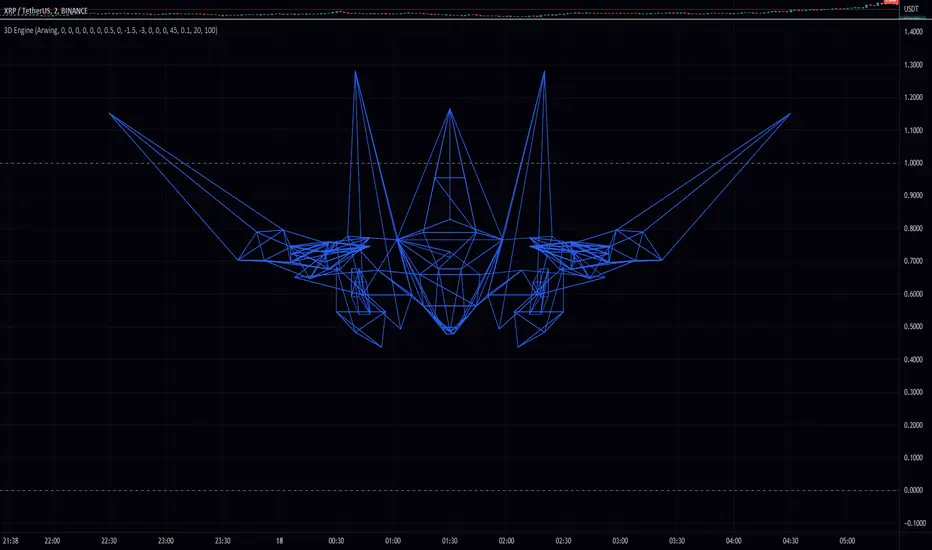
I am excited to share with you the first 3D engine in Pine Script! This is a remarkable achievement that will enable traders to explore the possibilities of 3D objects in their technical analysis.
To use this engine, you will need to use a higher time frame (1W or greater) to load the 3D objects in time. The code is straightforward and easy to use, with various input options to customize the object's position, rotation, and scale. You can select between two default 3D objects, Pin or Ball, by changing the 'list' input string.
The 3D engine is based on the vector and mesh data structures, and it includes several utility functions to perform operations such as rotation, translation, and scaling on these structures. It also includes functions to calculate perspective transformation for projecting 3D objects onto a 2D surface, which is the essential step in rendering the object in a 2D chart.
The 'process_scene' function is the main function that converts the 3D object data into 2D polygon data, which can be rendered on the chart. This function uses the 'process_object' function, which applies the object's transformation (position, rotation, and scale) and returns a scaled and rotated mesh that is ready for projection.
At the end of the code, there is a camera object that defines the camera's position, target, and field of view. You can customize this camera object to change the perspective of the rendered object.
To make your own 3D object, you can use the included Python program to convert an OBJ file into the format used by the engine. This program converts the OBJ file into a list of vector4 objects, which can be copy-pasted into the 'pin_vertex_list' array or a similar array. Please note that this process requires some knowledge of Python and the OBJ file format.
Overall, this is a fantastic achievement that opens up new possibilities for technical analysis in Pine Script. I encourage you to try it out and see what you can create with it.
In this code, there are several functions and data structures used to represent and manipulate 3D objects in a simple 3D engine. I will explain each function in detail below:
radians(degree): Converts an angle in degrees to radians.
quat_identity(): Returns a quaternion representing the identity rotation.
quat_from_axis_angle(axis, angle): Creates a quaternion from an axis of rotation and an angle.
quat_multiply(q1, q2): Multiplies two quaternions, q1 and q2, and returns the result.
quat_conjugate(q): Returns the conjugate of a quaternion, q.
quat_rotate(q, v): Rotates a 3D vector, v, by a quaternion, q, and returns the result.
rotate_vector_by_quaternion(v, q): Rotates a 3D vector, v, by a quaternion, q, and returns the result.
scale_vector(vector, constant): Scales a 3D vector by a constant and returns the result.
scale_mesh(mesh_obj, constant): Scales a mesh by a constant and returns the new mesh.
rotate_mesh(mesh_obj, axis, angle): Rotates a mesh around a specified axis by a given angle and returns the new mesh.
quat_translate(src, offset): Translates a 3D vector, src, by an offset and returns the result.
translate_mesh(mesh_obj, offset): Translates a mesh by an offset and returns the new mesh.
perspective_transform(msh, cam): Transforms a 3D mesh into a 2D mesh using a camera.
process_object(obj, cam): Processes a 3D object with a camera and returns a 2D mesh.
size(scene): Calculates the total number of vertices in a scene.
make_poly(scene): Converts a scene of 2D meshes into an array of polygons.
process_scene(scn, cam): Processes an entire scene of 3D objects with a camera and returns an array of polygons.
These functions work together to create a simple 3D engine that can manipulate, transform, and render 3D objects as 2D polygons. The main part of the script defines the camera, vertices, and faces for a pin object, and then uses the functions to process and render the object.
Note that some types are also defined in the code, including vector2, vector3, vector4, face, mesh, mesh2d, location, object, poly4, polyg, and camera. These types represent various mathematical structures and entities used in 3D graphics, such as vectors, faces, meshes, and cameras.
Here is an explanation of the inputs for all the functions in the given code:
radians(degree):
degree: Angle in degrees to be converted to radians.
quat_from_axis_angle(axis, angle):
axis: A vector3 object representing the axis of rotation.
angle: The angle in radians to rotate about the axis.
quat_multiply(q1, q2):
q1, q2: Two quaternion objects to be multiplied.
quat_conjugate(q):
q: A quaternion object whose conjugate is to be calculated.
quat_rotate(q, v):
q: The quaternion representing the rotation.
v: The vector3 object to be rotated.
rotate_vector_by_quaternion(v, q):
v: The vector3 object to be rotated.
q: The quaternion representing the rotation.
scale_vector(vector, constant):
vector: A vector4 object to be scaled.
constant: The scaling factor.
scale_mesh(mesh_obj, constant):
mesh_obj: A mesh object to be scaled.
constant: The scaling factor.
rotate_mesh(mesh_obj, axis, angle):
mesh_obj: A mesh object to be rotated.
axis: A vector3 object representing the axis of rotation.
angle: The angle in radians to rotate the mesh.
quat_translate(src, offset):
src: A vector4 object representing the source position.
offset: A vector3 object representing the translation offset.
translate_mesh(mesh_obj, offset):
mesh_obj: A mesh object to be translated.
offset: A vector3 object representing the translation offset.
perspective_transform(msh, cam):
msh: A mesh object to be transformed.
cam: A camera object used for the transformation.
process_object(obj, cam):
obj: An object containing a mesh and its location.
cam: A camera object used for processing the object.
make_poly(scene):
scene: An array of mesh2d objects to generate polygons from.
process_scene(scn, cam):
scn: An array of objects containing meshes and their locations.
cam: A camera object used for processing the scene.
Note that some of these functions are utility functions or internal functions, and their inputs are derived from other functions or user inputs.
I will make a library eventually.
Pine Script® indicator
CommonTypesMathLibrary "CommonTypesMath"
Provides a common library source for common types of useful mathematical structures.
Includes: `complex, Vector2, Vector3, Vector4, Quaternion, Segment2, Segment3, Pole, Plane, M32, M44`
complex
Representation of a Complex Number, a complex number `z` is a number in the form `z = x + yi`,
Fields:
re : Real part of the complex number.
im : Imaginary part of the complex number.
Vector2
Representation of a two dimentional vector with components `(x:float,y:float)`.
Fields:
x : Coordinate `x` of the vector.
y : Coordinate `y` of the vector.
Vector3
Representation of a three dimentional vector with components `(x:float,y:float,z:float)`.
Fields:
x : Coordinate `x` of the vector.
y : Coordinate `y` of the vector.
z : Coordinate `z` of the vector.
Vector4
Representation of a four dimentional vector with components `(x:float,y:float,z:float,w:float)`.
Fields:
x : Coordinate `x` of the vector.
y : Coordinate `y` of the vector.
z : Coordinate `z` of the vector.
w : Coordinate `w` of the vector.
Quaternion
Representation of a four dimentional vector with components `(x:float,y:float,z:float,w:float)`.
Fields:
x : Coordinate `x` of the vector.
y : Coordinate `y` of the vector.
z : Coordinate `z` of the vector.
w : Coordinate `w` of the vector, specifies the rotation component.
Segment2
Representation of a line in two dimentional space.
Fields:
origin : Origin coordinates.
target : Target coordinates.
Segment3
Representation of a line in three dimentional space.
Fields:
origin : Origin coordinates.
target : Target coordinates.
Pole
Representation of polar coordinates `(radius:float,angle:float)`.
Fields:
radius : Radius of the pole.
angle : Angle in radians of the pole.
Plane
Representation of a 3D plane.
Fields:
normal : Normal vector of the plane.
distance : Distance of the plane along its normal from the origin.
M32
Representation of a 3x2 matrix.
Fields:
m11 : First element of the first row.
m12 : Second element of the first row.
m21 : First element of the second row.
m22 : Second element of the second row.
m31 : First element of the third row.
m32 : Second element of the third row.
M44
Representation of a 4x4 matrix.
Fields:
m11 : First element of the first row.
m12 : Second element of the first row.
m13 : Third element of the first row.
m14 : fourth element of the first row.
m21 : First element of the second row.
m22 : Second element of the second row.
m23 : Third element of the second row.
m24 : fourth element of the second row.
m31 : First element of the third row.
m32 : Second element of the third row.
m33 : Third element of the third row.
m34 : fourth element of the third row.
m41 : First element of the fourth row.
m42 : Second element of the fourth row.
m43 : Third element of the fourth row.
m44 : fourth element of the fourth row.
Pine Script® library
watermark_asciiJust for fun... You can make an ascii watermark! The steps are:
1. Convert an image into ascii, e.g. using an online generator.
2. Split the ascii into strings that are no more than 4096 characters (pinescript limit).
3. Stack them together as cells on a table (as shown in the script).
I use code generation for step 2, by splitting the ascii file into chunks, then joining each line with a plus sign to make a large string concatenation statement, which I manually copy/paste into pine. Ideally, you could make this whole script into a template with a couple parameters.
Unfortunately, Pinescript doesn't use a monospaced font, so there will be some distortion. Feature request!
Pine Script® indicator